
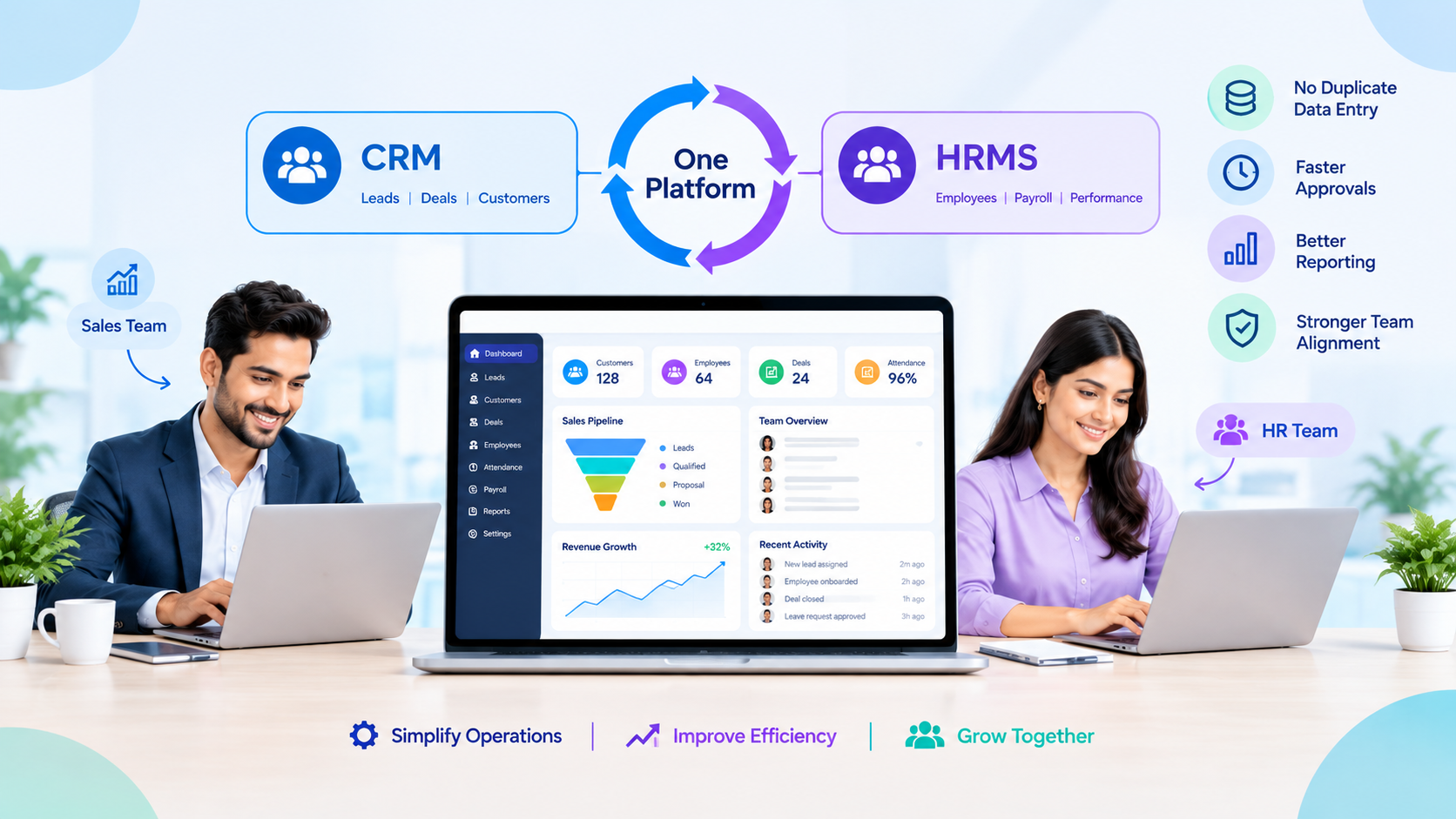
CRM vs HRMS: Why You Need a Unified CRM and HRMS Platform
Your sales team logs a deal in one tool while HR tracks the person who closed it in another, and neither system knows what the other is doing. Explore OrbitoCRM’s full product suite to see how sales, HR, and support share one record instead of three logins.Once a company passes twenty or thirty employees, a unified CRM and HRMS platform stops being a nice-to-have and starts being the thing that keeps payroll, pipeline, and performance data from drifting apart. Below is what actually changes when sales, HR, and support finally read from the same record.
Quick Answer
• A unified CRM and HRMS platform puts sales, HR, and payroll data in one record• CRM tracks customers and deals, HRMS tracks employees and pay, both feed the same business
• Separate tools cause duplicate entry, mismatched reports, and slow approvals
• Growing companies usually switch once they cross 20 to 50 employees
• Migration takes weeks, not months, when data is cleaned before the move
What Is The Difference Between CRM And HRMS?
CRM vs HRMS comes down to who each system serves. CRM manages customers, leads, and deals for sales and marketing, while HRMS manages employee records, attendance, and payroll for HR. Both track people, but from opposite sides of the business.
A sales rep opens the CRM to see a client’s last call and open quote. An HR manager opens the HRMS to check someone’s leave balance or payslip. The confusion starts because both systems store “people” data.
Small teams often ask one tool to cover both jobs badly, patching a spreadsheet onto whichever app they already trust. That patchwork works for a while. It stops working the moment a manager needs one number, like true cost per closed deal, that only exists across both systems.
CRM vs HRMS comes down to who each system serves. CRM manages customers, leads, and deals for sales and marketing, while HRMS manages employee records, attendance, and payroll for HR. Both track people, but from opposite sides of the business.
A sales rep opens the CRM to see a client’s last call and open quote. An HR manager opens the HRMS to check someone’s leave balance or payslip. The confusion starts because both systems store “people” data.
Small teams often ask one tool to cover both jobs badly, patching a spreadsheet onto whichever app they already trust. That patchwork works for a while. It stops working the moment a manager needs one number, like true cost per closed deal, that only exists across both systems.
• CRM: leads, deals, quotes, invoices, customer support tickets
• HRMS: employee records, attendance, leave, payroll, performance reviews
• Overlap: reporting, workflow automation, and role-based access control
Neither system is wrong to exist on its own. The problem is treating them as unrelated, when a growing company’s sales targets, staffing plans, and payroll budget are really one conversation split across two screens.
Why Do Growing Businesses Need A Unified CRM And HRMS Platform?
Growing businesses need a unified CRM and HRMS platform because disconnected tools force teams to re-enter the same names, dates, and approvals twice, and errors creep in every time. Sales, HR, and finance end up trusting three different versions of the truth.
The pain shows up in specific, everyday ways. A commission calculation needs both the deal value from CRM and the employee’s pay grade from HRMS, so someone builds a spreadsheet to bridge the two.
A new sales hire cannot get CRM access until HR finishes onboarding in a separate system, so the first week is wasted. A manager approving a raise has no easy view of that person’s pipeline contribution.
OrbitoCRM’s own team built the platform after hitting exactly this wall while running client, sales, and payroll data across separate tools.
Ask each vendor these questions before signing:
• Can it import your existing CRM contacts and HRMS employee records without a consultant?
• Does it support role-based access, so sales cannot see payroll and HR cannot see deal margins?
• Does support cover your working hours and, in India, your regional language needs?
• What does the platform actually cost once every module you need is added, not just the entry tier?
OrbitoCRM’s AI calling agents answer new leads in Hindi, Hinglish, or English and log every call straight into the same record HR and sales already share, which is the kind of cross-team feature a bolted-together stack rarely offers.
Watch out for vendors who quote a low entry price and then charge extra for the modules that actually make the platform unified, like shared reporting or single sign-on. A separate add-on for every real feature defeats the point of switching in the first place.
The pain shows up in specific, everyday ways. A commission calculation needs both the deal value from CRM and the employee’s pay grade from HRMS, so someone builds a spreadsheet to bridge the two.
A new sales hire cannot get CRM access until HR finishes onboarding in a separate system, so the first week is wasted. A manager approving a raise has no easy view of that person’s pipeline contribution.
OrbitoCRM’s own team built the platform after hitting exactly this wall while running client, sales, and payroll data across separate tools.
When using separate CRM and HRMS systems, data often has to be entered twice across both platforms, while reporting requires information to be manually combined in spreadsheets. Approval processes can also be slower because employees and managers have to switch between two different logins. A unified CRM and HRMS platform allows data to be entered once and shared across teams, with reports available from a single dashboard and approvals handled through one workflow. Point solutions connected through middleware sit between these approaches, but data may only sync after a delay, and the process can depend on integration uptime. If the synchronization fails, reporting and approvals may also be delayed.
What Should You Compare Before Switching To One Platform?
Before switching to a unified CRM and HRMS platform, compare how each vendor handles data migration, user permissions, and support for local pay rules, because those three areas cause most failed rollouts. A platform that looks feature-rich in a demo can still fall apart on your actual data.Ask each vendor these questions before signing:
• Can it import your existing CRM contacts and HRMS employee records without a consultant?
• Does it support role-based access, so sales cannot see payroll and HR cannot see deal margins?
• Does support cover your working hours and, in India, your regional language needs?
• What does the platform actually cost once every module you need is added, not just the entry tier?
OrbitoCRM’s AI calling agents answer new leads in Hindi, Hinglish, or English and log every call straight into the same record HR and sales already share, which is the kind of cross-team feature a bolted-together stack rarely offers.
Watch out for vendors who quote a low entry price and then charge extra for the modules that actually make the platform unified, like shared reporting or single sign-on. A separate add-on for every real feature defeats the point of switching in the first place.
What Does The Research Say About Unified Workforce Platforms?
Independent research backs the case for consolidation. A 2026 analysis from UKG found that growing companies need a platform connecting HR, payroll, time, workforce data, and reporting in one foundation, and that disconnected systems slow HR and finance teams down as a company scales.
The same logic applies once CRM joins the mix. When customer, employee, and payroll data live on one foundation, leaders stop asking “which report is correct” and start asking “what should we do next.” That shift alone is often the strongest business case for a unified CRM and HRMS platform, ahead of any single feature.
The same research describes a simple maturity model worth borrowing: fragmented, connected, unified, then optimized. Most companies running separate CRM and HRMS tools sit at “fragmented” or “connected,” reconciling numbers by hand between exports.
Moving to “unified” is less about buying more software and more about choosing one foundation instead of stitching several together.
1. Export contacts, deals, and employee records from your current tools and remove duplicates before touching the new platform
2. Map old fields to the new platform’s fields before importing, not after, since fixing mismatched fields after import means redoing the work twice
3. Run payroll and CRM reporting in parallel for one full cycle to catch mismatches before anyone relies on the new numbers alone
4. Train sales and HR separately, since each team only needs its own half of the system and a joint session wastes half of everyone’s time
5. Switch off the old tools once one full month closes cleanly on the new platform, with matching totals on both sides
Most delays come from step one, not step five. A CRM full of duplicate contacts or an HRMS with outdated pay grades will carry those errors straight into the new system, so the cleanup pays for itself before the platform even goes live.
Independent research backs the case for consolidation. A 2026 analysis from UKG found that growing companies need a platform connecting HR, payroll, time, workforce data, and reporting in one foundation, and that disconnected systems slow HR and finance teams down as a company scales.
The same logic applies once CRM joins the mix. When customer, employee, and payroll data live on one foundation, leaders stop asking “which report is correct” and start asking “what should we do next.” That shift alone is often the strongest business case for a unified CRM and HRMS platform, ahead of any single feature.
The same research describes a simple maturity model worth borrowing: fragmented, connected, unified, then optimized. Most companies running separate CRM and HRMS tools sit at “fragmented” or “connected,” reconciling numbers by hand between exports.
Moving to “unified” is less about buying more software and more about choosing one foundation instead of stitching several together.
How Do You Move From Two Systems To One Platform?
Moving from two systems to a unified CRM and HRMS platform usually takes two to six weeks, depending on how clean your existing data is and how many custom fields you carry over. Rushing the cleanup step is the most common reason migrations slip.1. Export contacts, deals, and employee records from your current tools and remove duplicates before touching the new platform
2. Map old fields to the new platform’s fields before importing, not after, since fixing mismatched fields after import means redoing the work twice
3. Run payroll and CRM reporting in parallel for one full cycle to catch mismatches before anyone relies on the new numbers alone
4. Train sales and HR separately, since each team only needs its own half of the system and a joint session wastes half of everyone’s time
5. Switch off the old tools once one full month closes cleanly on the new platform, with matching totals on both sides
Most delays come from step one, not step five. A CRM full of duplicate contacts or an HRMS with outdated pay grades will carry those errors straight into the new system, so the cleanup pays for itself before the platform even goes live.