
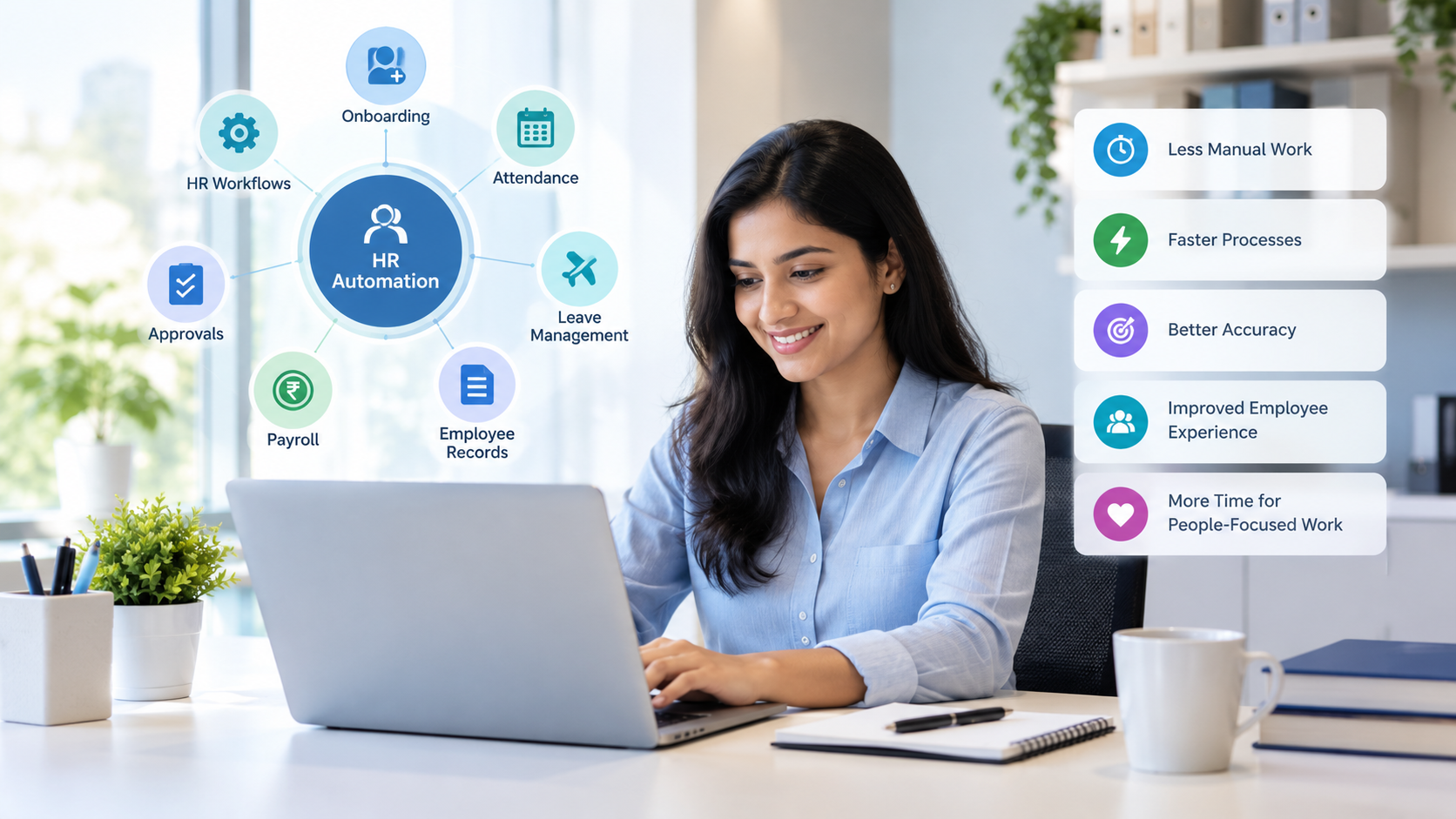
Introduction
Human resources teams manage much more than hiring and employee engagement. Every day, they may also handle attendance records, leave requests, employee information, payroll inputs, approvals, documents, onboarding tasks and routine follow-ups.
When these activities are handled manually, even simple processes can consume significant time. HR professionals may have to update spreadsheets, send reminders, check approval statuses, collect documents and move information between different systems.
This is where HR automation can make a practical difference.
HR automation uses software, workflows and predefined rules to handle repeatable administrative activities with less manual intervention. Instead of asking HR teams to perform the same task repeatedly, businesses can configure a workflow that triggers the required action automatically.
Modern HR technology can automate activities such as data entry, document generation, approval routing, onboarding workflows and employee self-service. SHRM describes HR automation as a way to automate repeatable, rules-based work so HR professionals can spend more time on higher-value activities.
For growing businesses, this can help create a more organized HR operation without adding unnecessary administrative workload.
What is HR automation?
HR automation is the use of software and predefined workflows to complete repetitive human resources tasks with minimal manual intervention.
A traditional HR process might require an employee to submit a request, HR to check the details, a manager to approve it, HR to update a record and then notify the employee.
With an automated workflow, these steps can happen through a connected process.
For example:
Employee submits leave request → Manager receives approval request → Approval is recorded → HR records are updated → Employee receives notification
This reduces the number of manual steps involved.
HR automation does not mean removing people from HR processes. Instead, it can shift HR professionals away from repetitive administration and toward activities that require communication, judgment and human interaction.
SHRM also recommends starting HR automation initiatives with manageable processes and expanding them gradually as organizations learn what works.
Why do HR teams spend so much time on administrative work?
HR teams often spend significant time on administrative work because many employee processes involve repeated data entry, document handling, approvals, updates and communication.
Some common repetitive HR tasks include:
- Updating employee records
- Tracking attendance
- Processing leave requests
- Collecting employee documents
- Preparing payroll information
- Sending reminders
- Managing approval workflows
- Creating employee letters
- Maintaining spreadsheets
- Preparing recurring reports
- Following up on pending requests
- Updating multiple systems with the same information
These activities may appear small individually. However, when repeated across dozens or hundreds of employees, they can become a considerable operational workload.
The problem becomes more noticeable as a company grows.
A process that works reasonably well for 20 employees may become difficult to manage manually when the workforce reaches 100, 250 or 500 employees.
How can HR automation reduce repetitive administrative work?
HR automation reduces repetitive administrative work by converting recurring manual activities into predefined digital workflows.
Instead of HR employees repeatedly performing the same steps, automation can trigger actions based on employee requests, dates, approvals or changes in records.
For example, consider employee onboarding.
A manual onboarding process may involve:
- Sending the welcome email
- Collecting documents
- Creating employee records
- Informing the manager
- Requesting IT access
- Assigning onboarding tasks
- Following up with the employee
- Updating HR records
With employee onboarding automation, these activities can be organized into a structured workflow.
Once an employee is added, the relevant tasks can be triggered automatically according to the configured process.
This approach can make HR operations more consistent while reducing unnecessary follow-ups.
Which HR tasks can be automated?
Many repeatable HR processes can be automated, including attendance, leave, onboarding, employee records, approvals, payroll inputs and routine notifications.
1. Employee data management
Employee information is often updated throughout the employee lifecycle.
HR teams may need to manage:
- Contact information
- Job titles
- Departments
- Reporting managers
- Joining information
- Documents
- Employment status
- Leave records
A centralized HR system can provide one location for employee information instead of requiring HR teams to maintain multiple spreadsheets.
OrbitoCRM's product suite includes an HRMS designed for employee profiles, attendance, leave management and performance-related records.
2. Attendance management
Attendance is another area where manual processes can create unnecessary work.
HR teams may need to collect attendance information, review exceptions, track working hours and coordinate corrections.
Automation can connect attendance information to the wider HR workflow, reducing repetitive data handling.
This can be particularly useful for businesses with multiple teams, locations or working schedules.
3. Leave management
A manual leave process can involve emails, messages, spreadsheets and separate approval records.
With HR workflow automation, an employee can submit a leave request through a centralized system. The appropriate manager can then receive the request for approval, while the status remains visible to the relevant users.
OrbitoCRM lists leave tracking and HR workflows within its product suite.
4. Payroll preparation
Payroll is a process where accurate information is especially important.
HR teams may need to consolidate attendance, leave, salary information, deductions and other inputs before payroll processing.
Automating the flow of information between relevant HR processes can reduce repetitive data collection and manual consolidation.
The goal is not simply to make payroll faster. A connected process can also reduce unnecessary duplication of employee information.
5. Employee onboarding
Onboarding involves multiple departments and multiple tasks.
Automation can help coordinate:
- Employee documentation
- Welcome communication
- Manager notifications
- Task assignments
- Approval workflows
- HR record creation
- Access-related requests
- Follow-up reminders
When these activities are connected, HR teams do not have to manually remember every step for every new employee.
How does HR workflow automation improve efficiency?
HR workflow automation improves efficiency by creating a consistent sequence of actions for recurring processes.
Consider an employee requesting leave.
Without workflow automation:
Employee → Email → HR → Manager → HR → Spreadsheet → Employee
With a digital workflow:
Employee → Leave request → Approval → Record update → Notification
The second process reduces unnecessary handoffs.
OrbitoCRM's platform describes workflow automation as the ability to trigger actions across CRM, HR and communication channels, including cross-application triggers and workflows.
This type of connected workflow can be particularly useful when HR processes overlap with finance, management or other departments.
Can HR automation reduce errors?
HR automation can reduce errors caused by repetitive manual data entry, duplicated information and missed workflow steps, although automated systems still require accurate configuration and oversight.
Manual processes can introduce errors when information is entered multiple times.
For example, an employee's details might appear in:
- An HR spreadsheet
- Attendance records
- Payroll records
- Leave records
- Employee documents
If the same information has to be entered repeatedly, there are more opportunities for inconsistencies.
A connected system can reduce unnecessary duplication by allowing information to flow through related processes.
SHRM identifies reduced administrative burden and reduced risk of human error as potential benefits of HR technology and automation.
However, automation does not eliminate the need for HR review. Sensitive processes such as payroll, employee changes and compliance-related activities should still have appropriate checks.
What are the benefits of HR automation for growing businesses?
The main benefits include reduced repetitive work, more consistent workflows, better visibility and more time for HR teams to focus on people-related activities.
Reduced administrative workload
Automation handles recurring processes that otherwise require repeated manual effort.
Faster workflows
Requests can move automatically from one stage to another instead of waiting for manual follow-ups.
Better consistency
Standardized workflows help ensure recurring processes follow the same basic steps.
Centralized information
HR teams can work with a shared source of employee information rather than disconnected spreadsheets.
Improved visibility
Managers and HR teams can see request statuses and workflow progress more easily.
Better employee experience
Employees can submit requests and access relevant information without always contacting HR directly.
Easier scaling
A standardized digital workflow can support a growing workforce without increasing every administrative task proportionally.
How does OrbitoCRM support HR automation?
OrbitoCRM combines HRMS functionality with workflow automation so businesses can connect HR processes with broader business operations.
The OrbitoCRM product suite includes an Orbito HRMS for attendance, leave management and employee profiles, alongside an Orbito Automation module for building workflows that can trigger actions across CRM, HR and communication channels.
The platform also provides AI agent capabilities designed to automate selected business workflows across departments.
For businesses looking to reduce repetitive administrative work, the key opportunity is connecting related processes rather than automating isolated tasks.
For example, an employee-related workflow could connect HR information, approvals, notifications and other business actions in a structured process.
You can explore the OrbitoCRM Product Suite to see how CRM, HRMS and automation capabilities are organized within the platform.
Frequently Asked Questions
What is HR automation?
HR automation is the use of software and digital workflows to handle repeatable HR tasks with less manual intervention.
What HR tasks can be automated?
Common examples include attendance tracking, leave requests, employee data management, onboarding workflows, approval routing, notifications, document processes and payroll-related data collection.
Can HR automation replace HR employees?
HR automation is primarily designed to automate repeatable tasks. HR professionals remain important for employee relationships, decision-making, communication, organizational culture and complex situations.
How does HR automation save time?
It reduces repeated data entry, manual follow-ups, spreadsheet updates, approval coordination and routine communication.
Is HR automation suitable for small businesses?
Yes. Small businesses can use automation when repetitive HR tasks begin consuming significant time and when standardized workflows can improve consistency.